What Is Image Masking? When Clipping Path Isn't Enough
What Is Image Masking? When Clipping Path Isn't Enough
Introduction
In eCommerce, clean and professional product images are essential for attracting customers and driving sales. While clipping path is one of the most widely used image editing techniques, it isn't suitable for every product photo.
Objects with hair, fur, transparent materials, fine fabrics, or soft edges require a more advanced editing technique known as Image Masking.
For fashion brands, beauty companies, photographers, and online retailers in the USA and Europe, image masking plays a critical role in maintaining image quality while preserving intricate details that clipping paths cannot accurately handle.
In this guide, we'll explain what image masking is, how it works, when to use it, and why it's an essential part of professional eCommerce image editing.
What Is Image Masking?
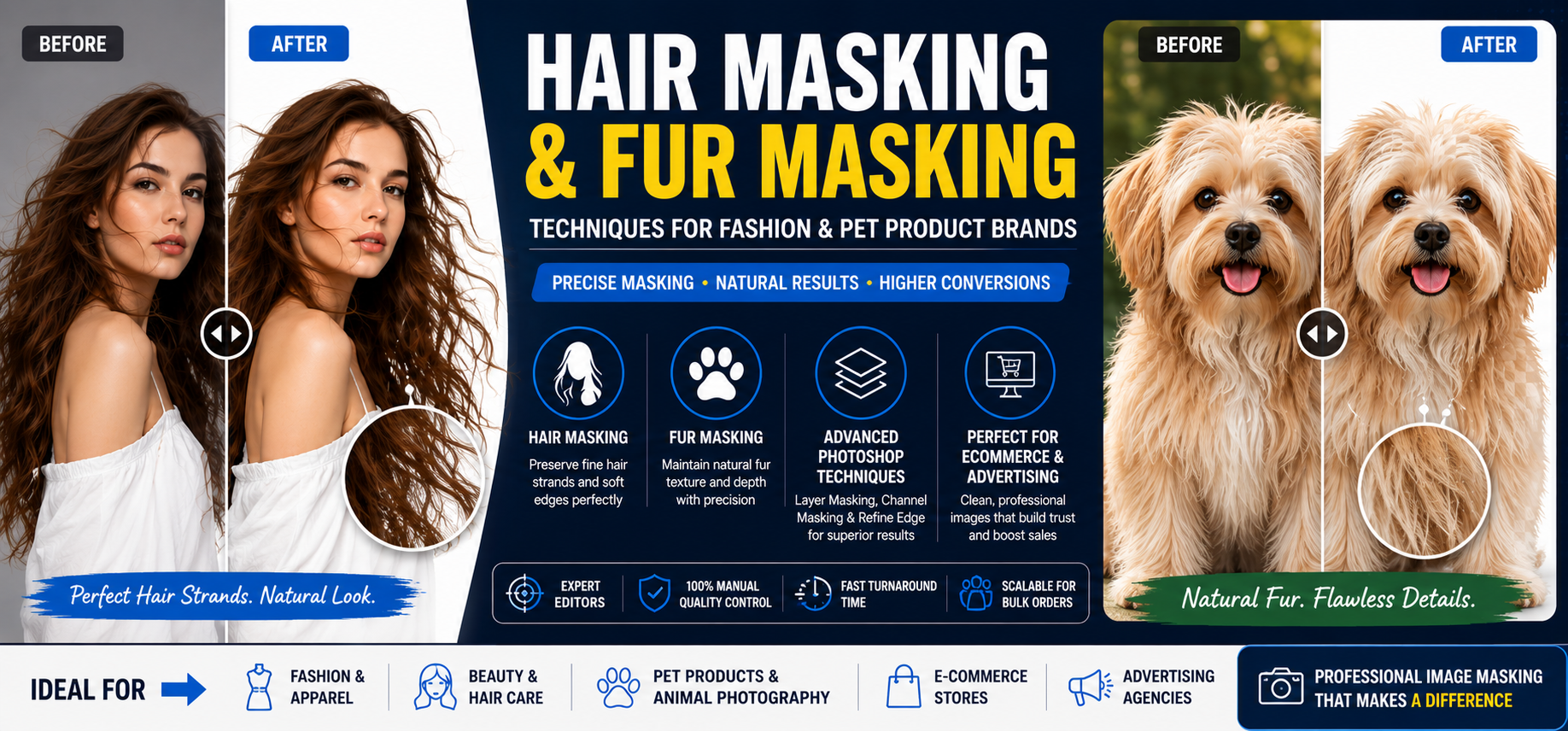
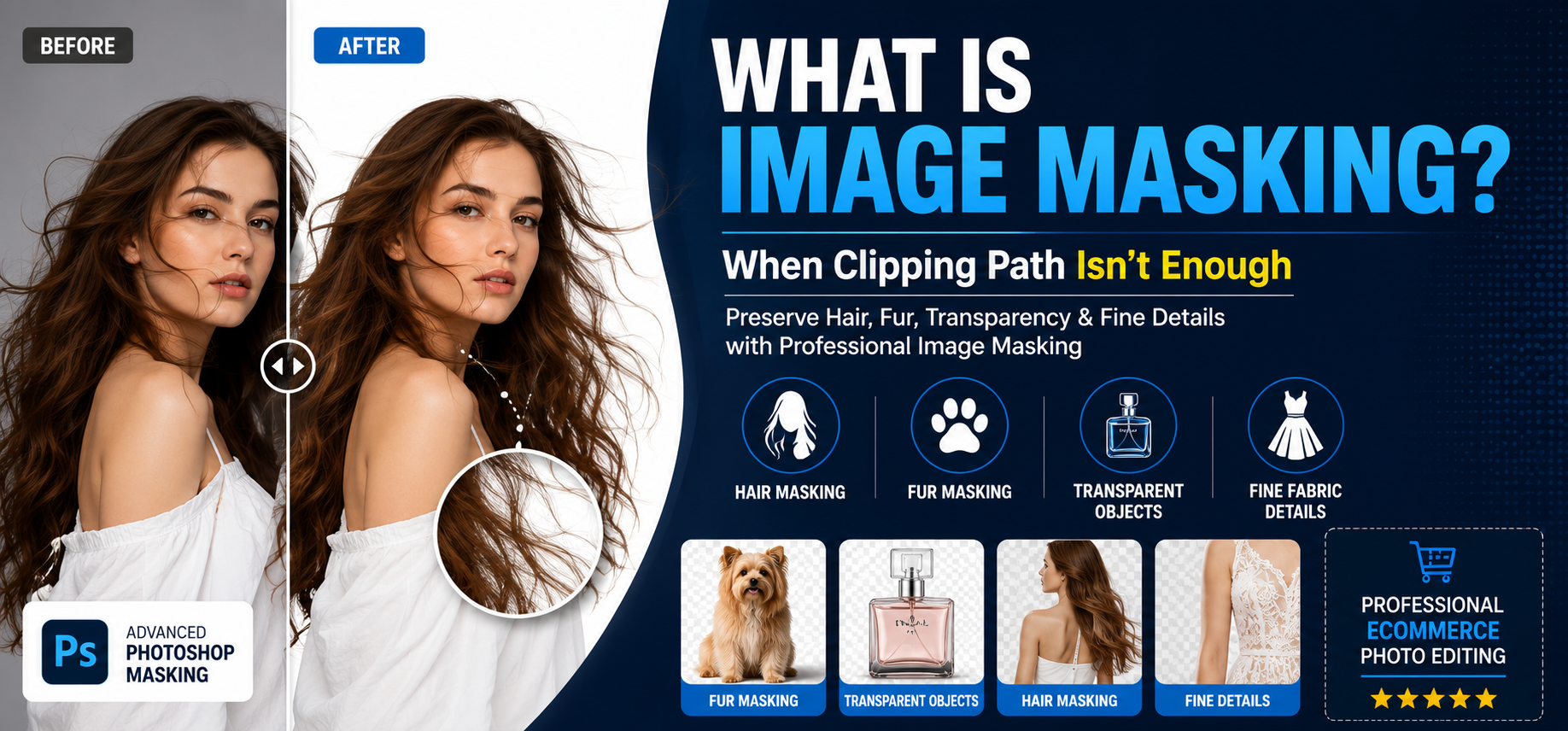
Image masking is an advanced Photoshop technique used to isolate objects with complex edges from their backgrounds while preserving fine details.
Unlike clipping path, which creates a hard vector outline around an object, masking allows editors to maintain:
- Individual hair strands
- Fur textures
- Transparent materials
- Soft fabric edges
- Semi-transparent objects
The result is a natural-looking cutout without losing important visual details.
Why Clipping Path Isn't Always Enough
Clipping path works best for products with clearly defined edges.
Examples include:
- Electronics
- Furniture
- Shoes
- Packaging
- Accessories
However, clipping path struggles with:
- Hair
- Fur
- Lace
- Mesh fabrics
- Transparent objects
- Smoke-like edges
Trying to create a clipping path around thousands of tiny hair strands would result in unnatural edges and significant detail loss.
This is where image masking becomes necessary.
How Image Masking Works
Instead of drawing a vector path, editors create masks that control which parts of an image remain visible.
Masking allows Photoshop to retain semi-transparent pixels and fine edge details.
Typical Workflow
- Analyze image complexity
- Select appropriate masking technique
- Refine edges
- Remove or replace background
- Apply quality control
- Export final image
This process preserves realism while allowing complete background flexibility.
Types of Image Masking
1. Layer Masking
The most common masking technique.
Used for:
- Hair
- Soft edges
- Fashion photography
- Product images with moderate complexity
Benefits:
- Non-destructive editing
- Easy revisions
- Excellent flexibility
2. Alpha Channel Masking
Used when images contain extremely fine details.
Common examples:
- Fur
- Animal products
- Hair strands
- Textured objects
Benefits:
- Superior edge preservation
- Precise detail control
3. Transparent Object Masking
Designed for objects that contain transparent or translucent elements.
Examples:
- Glass bottles
- Wine glasses
- Plastic packaging
- Sunglasses
Benefits:
- Preserves transparency
- Maintains realistic reflections
4. Hair and Fur Masking
One of the most demanding editing techniques.
Used for:
- Fashion models
- Beauty campaigns
- Pet products
- Hair care brands
Benefits:
- Maintains natural appearance
- Prevents edge distortion
Products That Require Image Masking
Fashion Apparel
Fashion brands frequently need masking for:
- Lace dresses
- Mesh clothing
- Knitwear
- Detailed garments
Beauty and Cosmetics
Common products include:
- Hair care products
- Beauty campaigns
- Cosmetic advertisements
Pet Products
Pet-related photography often involves:
- Fur textures
- Animal portraits
- Grooming products
Glass and Transparent Products
Products requiring masking include:
- Perfume bottles
- Beverage containers
- Decorative glassware
Image Masking vs Clipping Path
| Feature | Image Masking | Clipping Path |
|---|---|---|
| Best For | Soft edges and transparency | Hard edges |
| Hair & Fur | Excellent | Poor |
| Transparent Objects | Excellent | Limited |
| Electronics | Good | Excellent |
| Furniture | Good | Excellent |
| Editing Speed | Slower | Faster |
| Complexity | High | Moderate |
Benefits of Image Masking for eCommerce
Superior Detail Preservation
Retains intricate details that would otherwise be lost.
Professional Product Presentation
Creates realistic and natural-looking images.
Higher Conversion Rates
Customers trust images that accurately represent products.
Better Brand Perception
Premium visuals strengthen brand credibility.
Greater Editing Flexibility
Allows background replacement without sacrificing quality.
Common Mistakes to Avoid
Using Clipping Path for Hair
This often produces harsh, unrealistic edges.
Over-Masking
Excessive masking can make products appear artificial.
Ignoring Transparency
Glass and translucent objects require specialized masking techniques.
Relying Entirely on AI
AI tools still struggle with complex edges and transparency.
Image Masking and AI: Can AI Replace Human Editors?
AI-powered masking tools have improved significantly.
However, they still face challenges with:
- Fine hair strands
- Transparent surfaces
- Complex textures
- Luxury product photography
Professional editors remain essential for achieving premium-quality results.
When Should You Choose Image Masking?
Choose image masking when your images include:
✓ Hair
✓ Fur
✓ Transparent objects
✓ Soft edges
✓ Fine fabrics
✓ Semi-transparent materials
For products with solid edges, clipping path remains the more efficient solution.
Why eCommerce Brands Outsource Image Masking
Many online retailers and agencies outsource masking because it:
- Saves time
- Reduces labor costs
- Provides expert-level quality
- Supports large-scale production
- Maintains consistency
Professional image masking services are particularly valuable for fashion, beauty, and luxury brands.
Conclusion
Image masking is one of the most important advanced photo editing techniques in modern eCommerce. While clipping path remains the preferred solution for products with hard edges, masking is essential for preserving delicate details, transparency, and realism.
For brands targeting customers in the USA and Europe, high-quality image masking helps create professional product visuals, improve customer trust, and increase conversion rates.
When clipping path isn't enough, image masking provides the precision and flexibility required to deliver premium-quality product images.